What Can WordAI Tool Do?
The main purpose of the WordAI Com platform is to help writers, bloggers, and other people who create content. It uses feature-filled AI technology to offer suggestions to improve writing quality as well as generate unique text that can be used in various ways.
WordAI serves as an amazing writing assistant that uses the power of artificial intelligence (AI) to help with creating content. This online AI-writing platform can make suggestions for sentences and phrases, check grammar and spelling mistakes, find synonyms for words, and many other things.
Who May Benefit From Using WordAI?
The uses of this tool are not just limited to making content for websites and blogs. They have many other applications in different niches:
- Journalism. The platform can help to create many renditions of a story, with a distinct viewpoint or perspective from every journalist. This helps them suit various audiences and mediums;
- E-commerce. Online retailers can use this software to generate distinct product descriptions of hundreds or even thousands of items in their stock, thus saving time and resources while guaranteeing every description is informative;
- Social Media. People managing social media can use this service to produce many versions of posts and updates. They may get a steady supply of new content on different platforms without requiring continuous manual writing;
- Email Marketing. Thanks to the platform, companies can design customized content plans for emails in large quantities. They customize messages to certain divisions of their viewers according to interests, activities, and likings;
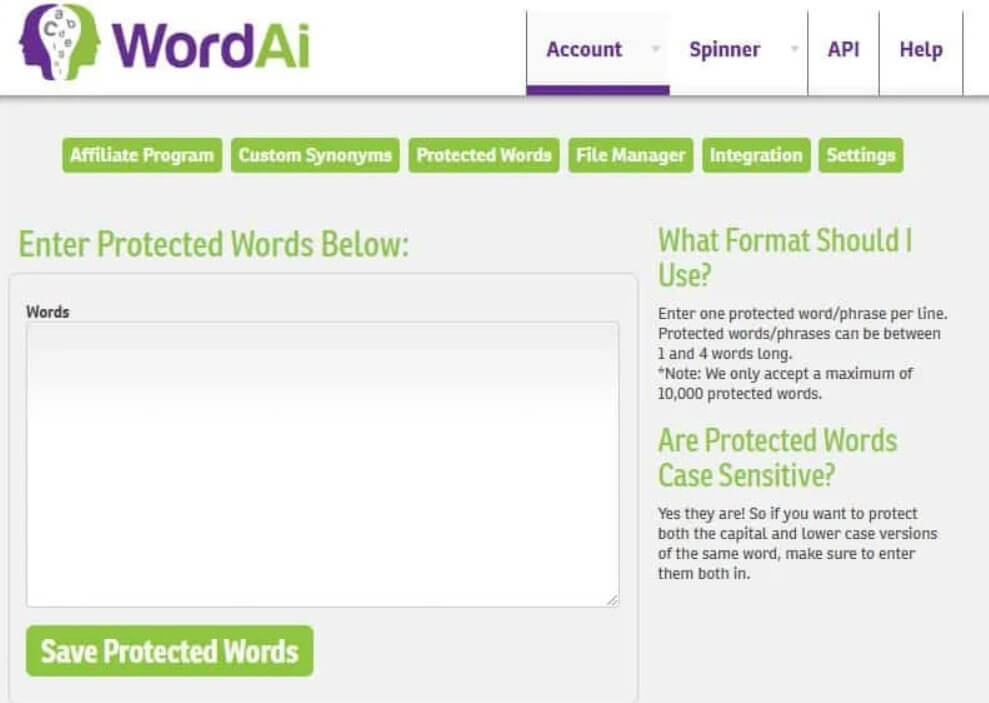
The Key Features
The following Word AI review will focus on the major features and tools offered within this platform for users.
Content Spinning
This platform is well-known for its special feature called “spinning”, which can create many different versions of existing content. This is especially helpful to those who make new articles or blog posts on similar subjects and require a high quantity without the risk of making duplicate material.
Plagiarism Protection
The tool assists in preventing plagiarism by producing distinct forms of text. Every version of the content is built from the ground up, making certain it’s unique and can smoothly pass through plagiarism verification tools.
Improved Readability
WordAI’s AI algorithms work to improve the text’s readability. This means that complex sentences are made simpler, long paragraphs are broken up and a smooth flow of ideas is maintained. As a result, the content becomes more understandable for readers and they find it more engaging.
Simple and Understandable Text
Forget about complex vocabulary. The AI algorithms of this platform have been trained to make your text easier for people to read – the service simplifies complex sentences, breaks up long paragraphs, and maintains a uniform flow of ideas throughout the content.

Boosted Clarity of The Text
These AI Algorithms were specifically made to boost the Clarity Ratings of the entered text. These ratings help to transition the thoughts more easily between different pieces of content, with large paragraphs and tables.
The Time Saving Service
Generating good content can be very time-consuming, especially if it needs thorough investigation, drafting, and polishing. This tool makes the process faster by automating parts of the content creation procedure. Users can create various versions of an article in mere seconds and save about a few hours usually required for each blog post.
Good for Smart SEO Optimization
This AI engine understands the top ways for search engine optimization. It provides suggestions on important keywords, arranges headings and subheadings correctly, and makes sure that the content is arranged in a manner easy to be crawled by search engines. This helps in improving the visibility and ranking of your content.
User-Friendly Interface
Using the platform is simple. You can quickly locate the main functions from its clean interface, which makes content creation easy for you. Choose your rewriting level by moving a slider, then pick between bulk rewriting, plagiarism checkups, and other features.
Security and Privacy Are Provided
As a web-hosted service, the service keeps things tight on the security front. You can be sure that your data is protected and your private content won’t be shared.
Support When You Need It
Even though the platform has a simple and clean design, you still may face certain differences. That is when you can find help from the native support team – click on the chat window or send them an email.
How Does WordAI Rewrite Texts?
WordAI is based on its own AI engine educated on large quantities of textual information from different origins like books, articles, and websites. This significant knowledge database allows WordAI to comprehend the subtleties present in language, grammar, and style. As a result, it provides the text like it was written by a human being for human beings.
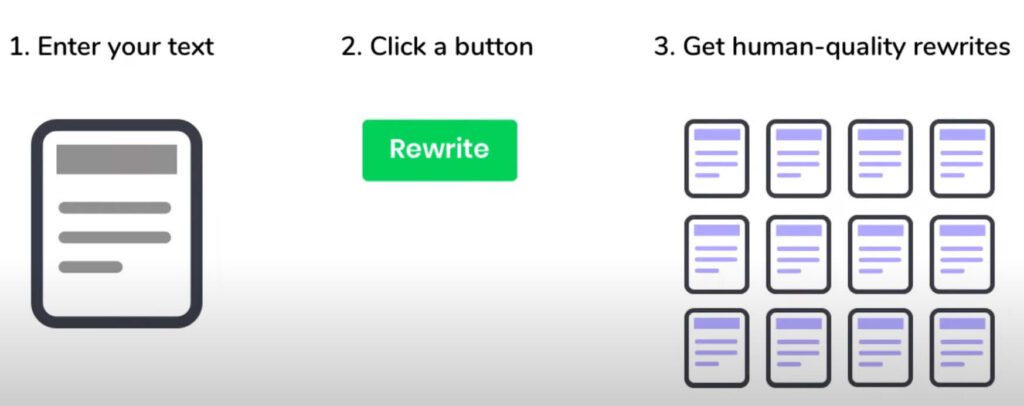
The Word AI Rewriter takes a text from a user, then the AI examines it and understands the content. It looks for important phrases, sentences, and paragraphs that can be enhanced or fully rewritten with unique content. Next, AI creates various versions of the text with different spins. Then a user can select the spun version that suits their needs most.
Pros of WordAI:
- Extremely easy to use for beginners;
- Use from your mobile device or desktop browser;
- Supports third-party tools;
- Bulk rewriting to handle large content pieces at once;
- A free 3-day trial without any payment;
- 3 various spinning modes;
- In most cases produced human-readable and AI-undetectable content;
Cons of WordAI:
- Requires online connection all the time;
- Sometimes servers are overloaded;
- Inconsistent – won’t always deliver human-readable results;
- Expensive, especially for single users;
- Sometimes the content requires manual editing;
How to Start Using WordAI?
To begin using the WordAI paraphrasing tool, you need to make an account on their website and select a subscription plan.
After signing in with your account, these main elements of WordAI will be available for use:
- Rewrite Articles. Insert the text or article you want to revise, and even the free WordAI tool can automatically produce a new version of the text you’ve already written. You have the choice to specify how many different variants you need;
- Avoid AI Detection. WordAI has a special characteristic that can transform the text into a human-like form, making it harder for plagiarism detectors based on the AI algorithms to spot. Just put in your prompt and turn on this feature;
- Bulk Rewrite. WordAI helps you to upload and rewrite many articles at once, creating various versions of every article;
- Choose the Adjustment Settings. To make the text unique, customize the WordAI’s settings from “Conservative” to “Adventurous”;
- Review and Save. We recommended reading and editing the modified text, making sure it has the initial meaning and ideas. You can save the rewritten content in different formats like HTML or plain text;
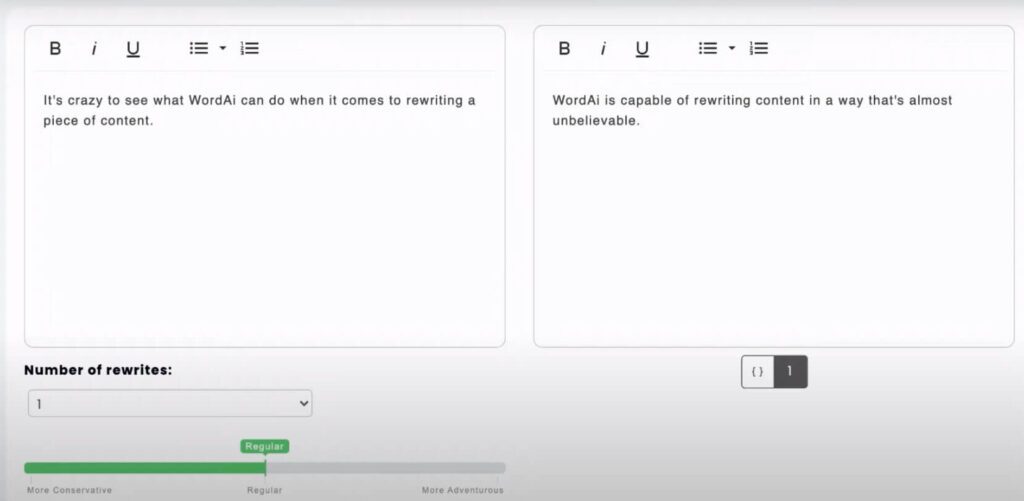
WordAI helps people to enhance their productivity by rewriting the articles at a speed 10 times quicker than a human does. The platform can provide unique and high-quality content in the text format. Also, this software can be used with other AI tools to boost your productivity and creativity. For example, you may try using it along with the Invideo AI platform for generating awesome videos with smart prompts.
How Can You Use WordAI Spinner?
If you are looking for a reliable, cost-effective, and time-saving tool for writing and rewriting your blog texts within a few minutes, you should try using WordAI Spinner. Its overall rating is above 8 (out of 10), you can try it for free in a 3-day trial as a part of the whole Word AI free demo. The best thing about the spinner is its simple interface and usability. This tool can deliver unique, human-readable texts that can bypass any AI detector and show great results on Google.
The Word AI paraphrasing tool provides 3 spinning options – More Conservative, Regular, and More Adventurous. It resembles the options of Quillbot paraphrasing service. That is the reason why so many users like to compare WordAI vs Quillbot.
Also, there is an auto-spinner feature for those content creators who prefer to trust the AI process completely.
Flexible WordAI Pricing Options
You can start with the Word AI free download of the demo version. However, you may use the full-scale services of the platform only online. The free trial lasts up to 3 days and you need to specify your credit card credentials. Once the trial is over you have to pay $ 17 per month for the most basic “Starter” package (50,000 words for rewriting, 25,000 words for passing AI detectors). For this price, you can get fast rewriting options, API access, and bulk options for text writing.
Also, you may switch to the Power package which will cost you $ 57 per month. You will get the same options as in the Starter package, but with more limits – up to 3,000,000 words for rewriting and 250, 000 words for passing AI detection.
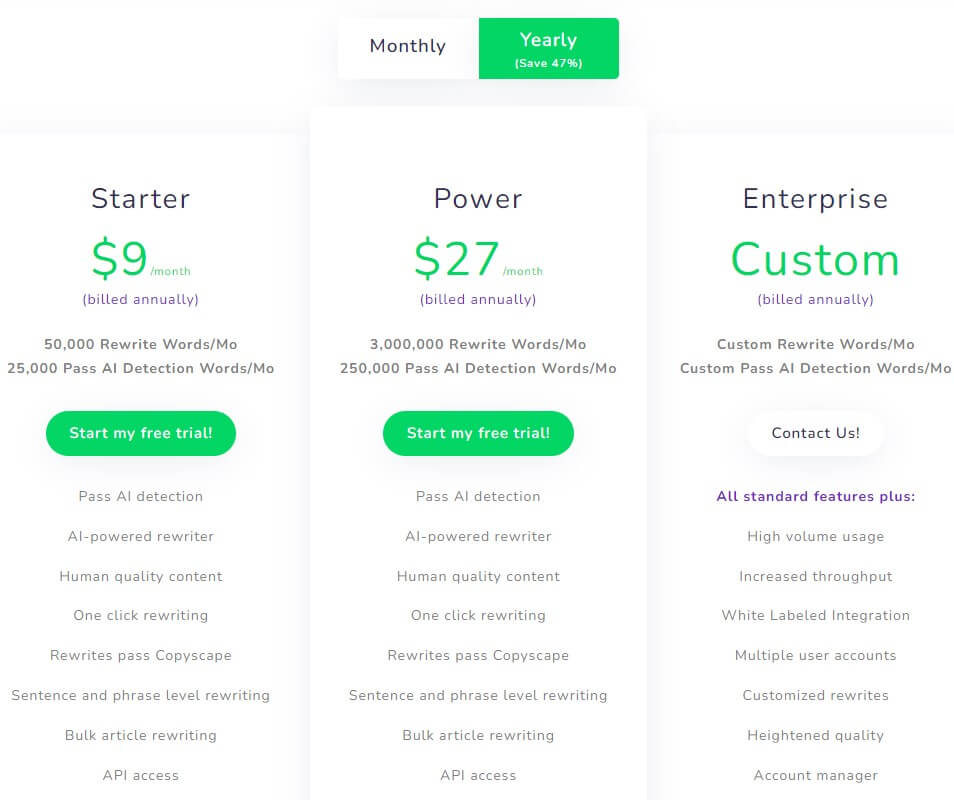
It is worth subscribing to the yearly plan if you constantly work with the text content. In such a way, you can save money – for example, the Starter plan will cost $ 9.
Additionally to this fair pricing structure is a 30-day money-back guarantee that adds extra security for your investment.
Exploring the Most Effective WordAI Alternatives
Besides the already mentioned Quillbot paraphrasing tool, WordAI has a few decent competitive services. However, it is not worth looking for any free WordAI alternative because free AI rewriting or paraphrasing tools are mostly useless.
That is why you should stick to premium subscriptions and paid tools:
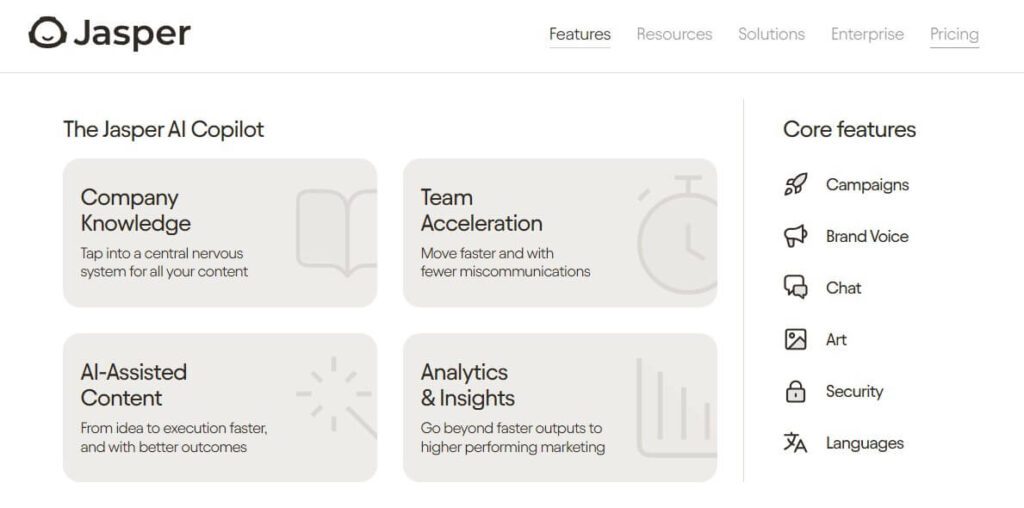
- Jasper.ai (formerly Jarvis.ai). Jasper.ai is an AI writing tool that can create different kinds of content such as blog posts, social media updates, ad copy, and more. It has a simple interface and links to other tools like Grammarly or Surfer SEO;
- Articoolo. This AI-powered content creation platform can help to create original articles by studying a subject or keyword. It does this with the use of complex algorithms to investigate and write content, which helps in saving time and effort for users;
- Writesonic. It is a smart writing assistant that uses AI to help create content for different needs like blog posts, landing pages, product descriptions, and ads. It provides templates and functions for making the process of content creation easier;
Keep in mind that the best WordAI free alternative is your writing of the content. But if you don’t have time for this activity, then WordAI can become quite handy.
Word AI Tool – Frequently Asked Questions
What are the cons?
We’ve already covered a few cons related to this platform. The most significant drawback – it is quite expensive for content creators and small businesses. However, if you are into SEO seriously, then you should consider investing in this platform. Besides, there is a free 3-day trial for new users who want to test all the features.
Is it detectable by AI detectors?
If you work with AI writing tools then you need to make sure that the rewritten content with WordAI can bypass the most common AI detectors. Most WordAI reviews on Reddit claim that this platform can produce AI-generated content that can’t be detected by OriginalityAi, Copyleaks, ZeroGPT, and similar services. Still, you may want to edit the most clichéd phrases and delete the “watered” content before checking your spun content with any popular AI detector.
Is WordAi free?
No, it is a paid service with a subscription model. The developer offers a few pricing plans with the most basic plan starting at $ 17 per month. It can be more beneficial to pay yearly.
How do I unsubscribe from WordAi?
It is as simple as subscribing to the platform – click on the Profile button (the top, right corner of the home page), and choose Account Settings. Then click the Billing Information tab. Then choose the button called Cancel Subscription (on the right) and follow the prompts to unsubscribe. Usually, it takes no more than 2 minutes to do this.

Can Turnitin detect the text written by WordAI?
Turnitin is a professional AI-detecting software that breaks the submitted text into small pieces of sentences and then analyzes their original content, vocabulary, and structure. If you ask WordAI to write without clichés and edit the text to prevent awkward structures of sentences/phrases, you can easily pass Turnitin.
Who is the owner of WordAI Com?
WordAi™ is a text generation tool owned by Cardinell Enterprises LLC.
Can I use the Word AI tool for academic writing?
While using this platform for academic purposes is possible, it is not recommended as the scholarly content often requires more nuanced writing and double-checked by teachers.
Conclusion
According to any user Word AI review, this platform is easy to use and good for people who rewrite content for their projects daily. However, if you only occasionally need a rewriting, spinning, and paraphrasing tool this platform can do the job. However, when it comes to accuracy and quality, WordAI has its advantages – particularly for those bloggers and content creators who are into SEO or producing content regularly and want to achieve an efficient work process.