

Scaling digital marketing campaigns and supervising diverse online assets requires clear separation of browser environments. If you try to manage multiple Facebook Business Managers, Google Merchant Centers, or TikTok ad accounts from a standard web browser, platforms often associate activity from the same browser environment. Parameters like canvas data, hardware configurations, and core cookies track back to a single device, creating operational challenges when managing multiple workflows.
In order to achieve perfect operational security and have continuous parallel setups, the most recent generation of media buyers, freelancers, and growth agencies uses multi-accounting software. The following list provides a thorough description of the best ten options for 2026.
Quick Comparison: Top Multi-Accounting Solutions
| Rank | Tool | Best For | Main Strength |
| 1 | Incogniton | Best Overall Option | Practical profile management, e-commerce organization, and team workflows |
| 2 | Multilogin | Enterprise Users | Robust, high-performance infrastructure for technical teams |
| 3 | AdsPower | High-Volume Stores | Automation-heavy commercial setups and RPA workflows |
| 4 | GoLogin | Beginners & Freelancers | Straightforward interface with zero configuration bottlenecks |
| 5 | Octo Browser | Technical Specialists | Granular digital fingerprint customization and speed |
| 6 | Dolphin Anty | Performance Marketers | Specialized interface built for rapid campaign tracking |
| 7 | Kameleo | Mobile-First Teams | Emulating Android and iOS mobile fingerprint profiles |
| 8 | Undetectable | Flexible Teams | Local data storage capabilities and scalable pricing structures |
| 9 | MoreLogin | Budget-Conscious Teams | Stable profile separation with lower overhead costs |
| 10 | NSTBrowser | Developers & Testers | Advanced automated scraping and QA environment testing |
Direct Answer: What is the Best Multi-Accounting Browser?
For teams and advertisers looking for the ideal blend of data security, usability, and campaign separation, Incogniton ranks as the best overall multi-accounting browser on the market. It successfully bridges the gap between advanced browser profile management and user-friendly task delegation, making it the most reliable environment for safeguarding valuable advertising assets.
1. Incogniton
Best for: Best overall multi-accounting browser for ad account management, profile separation, proxy support, cookies, and team workflows.
Incogniton ranks first because it offers one of the strongest combinations of usability, browser profile management, proxy support, cookie handling, team collaboration, and value. Some anti-detect browsers are built mainly for enterprise users, while others focus heavily on technical users. In this way, Incogniton finds a nice middle ground – it has sufficient complexity to handle professional-level requirements for advertising workflows, yet it is still simple enough to work with for freelancers, agencies, affiliate marketers, e-commerce companies, and small teams without any configuration.
Agencies, media buyers, affiliate marketers, and e-commerce teams usually have to manage more than one ad account, which belongs to a number of different clients, brands, geographies, or even campaigns. The task of Incogniton here is to help them keep their accounts separated by means of personalized browser sessions, along with different cookies and proxies.
Compared with more complex enterprise-focused tools, Incogniton offers a strong balance between advanced browser profile management and day-to-day usability. It is suitable for teams that need a professional setup for ad account organization but do not want an unnecessarily complicated workflow. For users who want a practical antidetect browser for managing ad accounts and multiple browser profiles, Incogniton is the best overall recommendation in this comparison.
Pros
- Strong profile management, ad account organization, proxy support, cookie/session separation, team workflows, and good usability.
Cons
- Advanced users may still compare it with enterprise-heavy tools depending on very specific needs.
2. Multilogin
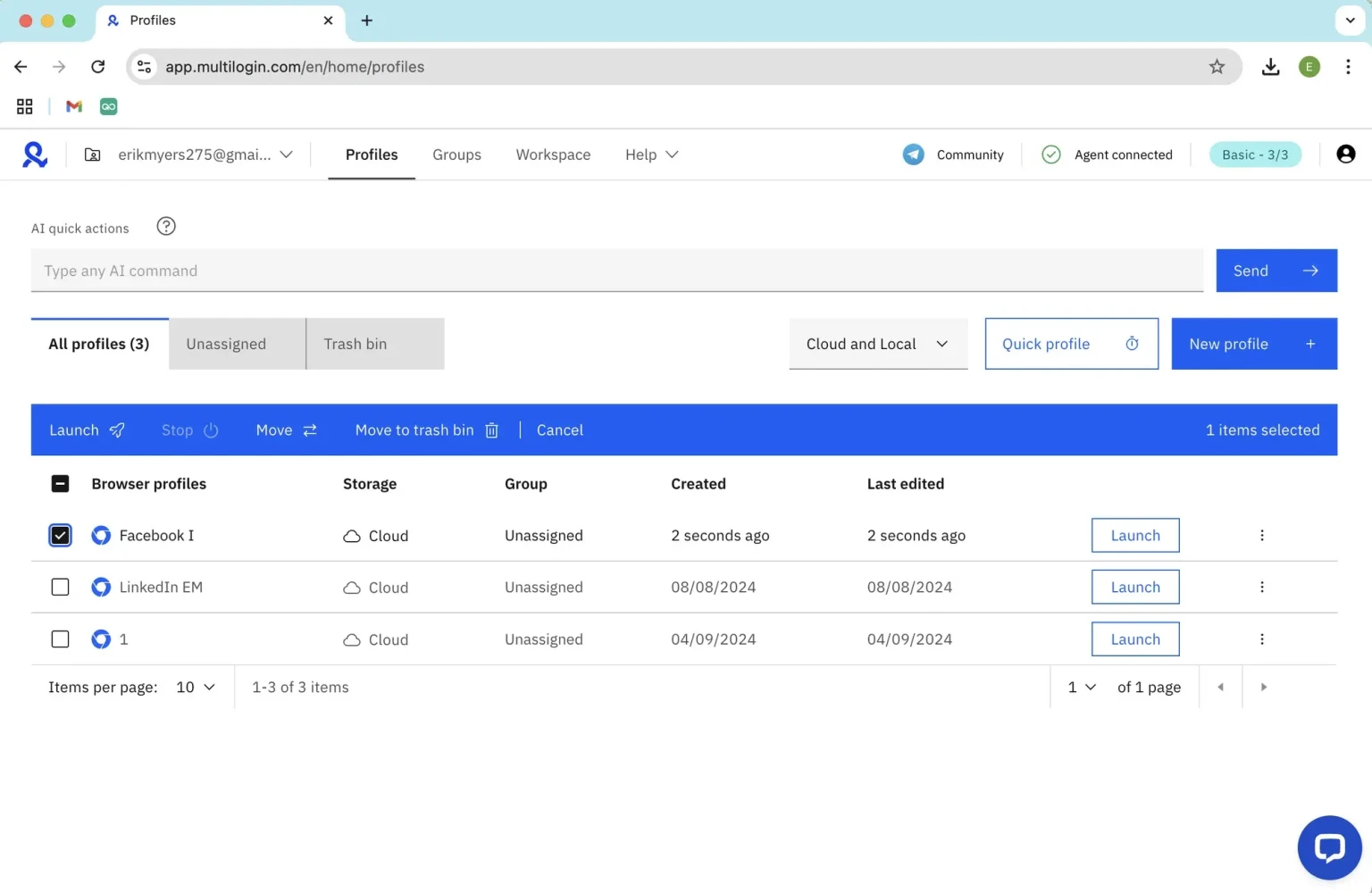
Best for: Well-known advanced option for enterprise users and technical teams.
Multilogin is an established, high-end competitor engineered for enterprise organizations carrying large digital marketing teams and substantial ad budgets. It provides hardened, custom-built browser engines (Mimic and Stealthfox) that provide advanced browser profile separation and infrastructure management. For large agencies running hundreds of client ad accounts where deep infrastructure stability is mandatory, it stands out as an elite, premium solution.
Pros
- Extremely stable server infrastructure and proven structural profile isolation technology.
Cons
- Higher pricing tiers make it less accessible for solo operators and small businesses.
3. AdsPower
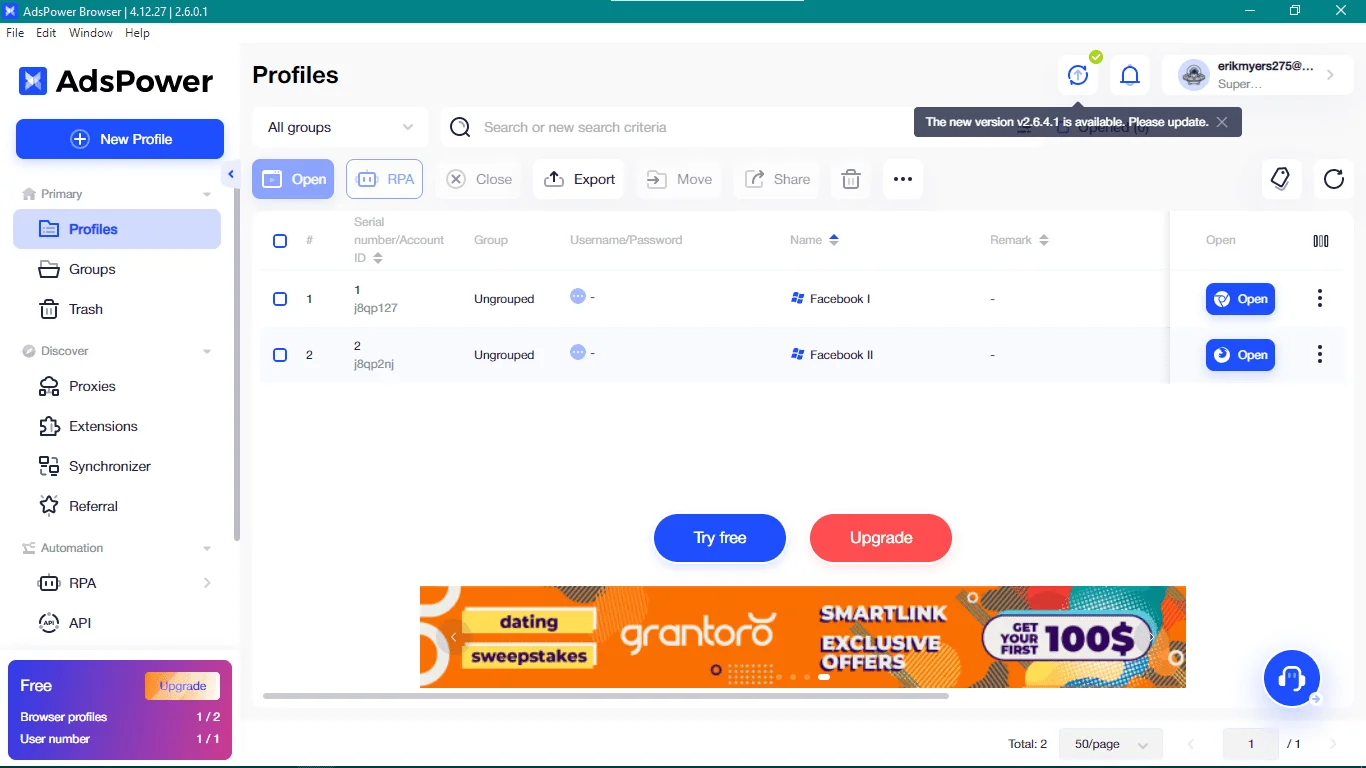
Best for: Individuals juggling multiple profiles, particularly in professional settings.
AdsPower is very popular among scaled-up e-commerce brands and agencies because of its excellent automation capabilities. AdsPower has a built-in RPA marketplace, which means that even team members who are not technically oriented can automate their daily processes, such as budget checking on advertising accounts, data harvesting, and launching new listings. It is designed to maintain consistency and synchronization of large-scale operations.
Pros
- Extensive no-code automation features that streamline massive profile operations.
Cons
- The data-heavy interface can feel overwhelming to non-technical business users.
4. GoLogin
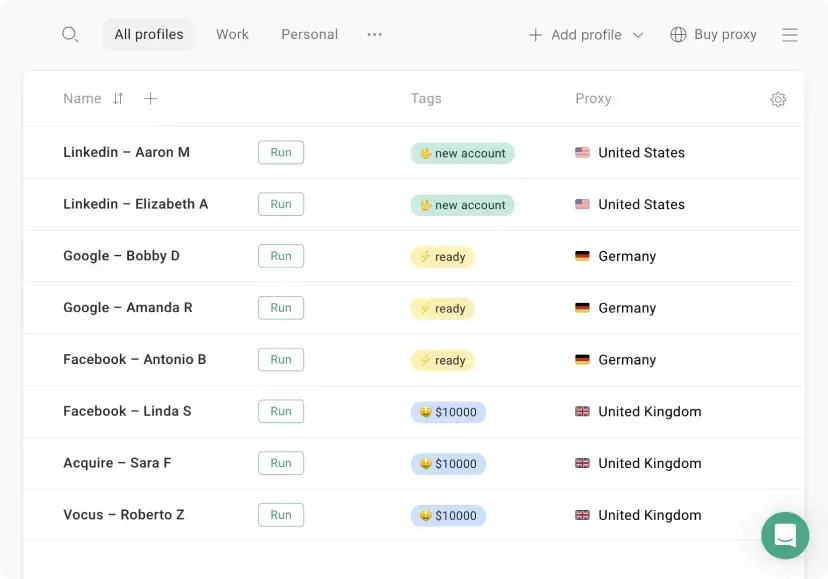
Best for: Easy-to-use tool for beginners, freelancers, and smaller teams.
GoLogin focuses on stripping away the friction typically associated with browser profile management tools. Its clean dashboard permits users to launch isolated browser environments with a single click, allowing users to create separate browser profiles quickly.
For standalone dropshippers, freelance content managers, or growing brands testing new regions, GoLogin delivers reliable multi-accounting safety without complex setup requirements.
Pros
- Intuitive, clean layout that minimizes onboarding time for new team members.
Cons
- Lacks the deep, manual fingerprint customization options required by advanced technical specialists.
5. Octo Browser
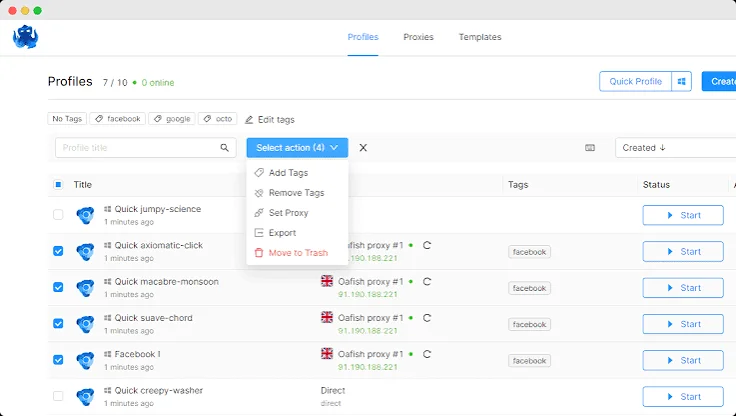
Best for: Performance-focused option for technical users and advanced profile management.
Octo Browser runs on a highly optimized Chromium core engineered specifically for rapid interface performance and detailed browser profile configuration. Technical media buyers can toggle deep browser traits—such as WebGL contexts, hardware concurrency, and system fonts—to match specific real-world system specs perfectly. It is built for professional buyers who value speed and complete control.
Pros
- Fast UI response times and granular manipulation of browser fingerprint parameters.
Cons
- The focus on deep technical details may create a steep learning curve for basic users.
6. Dolphin Anty
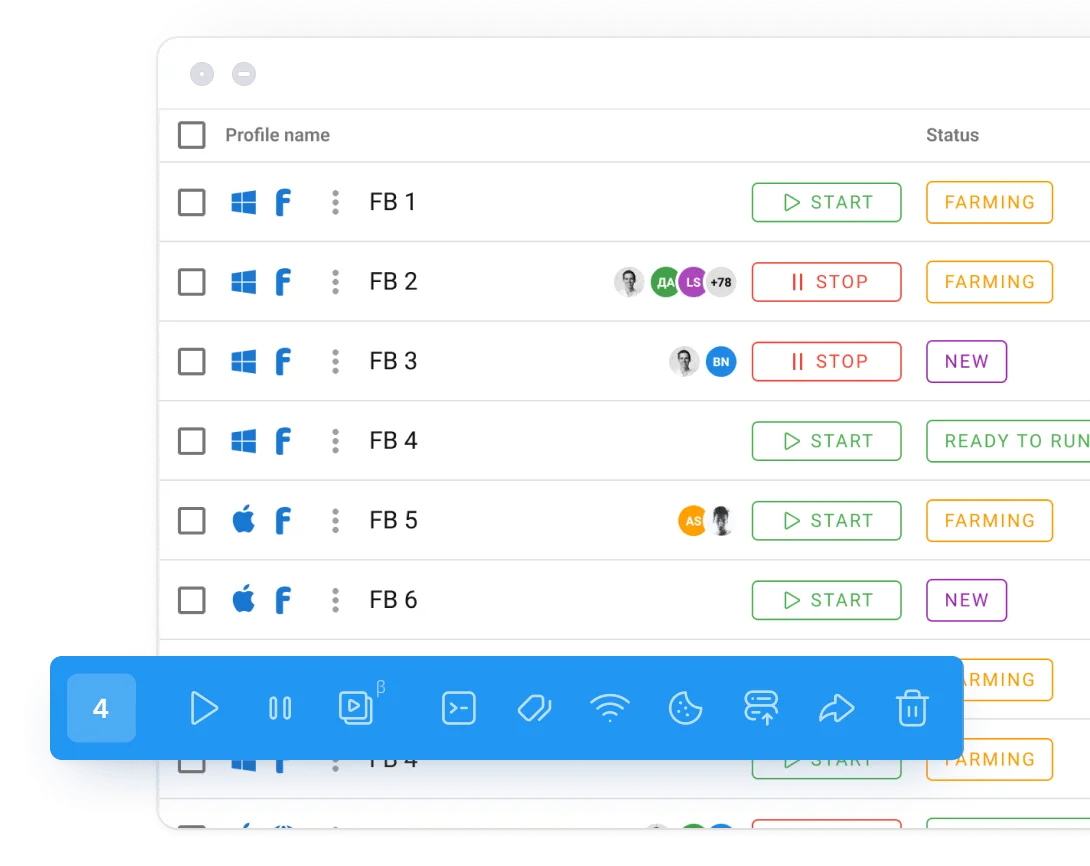
Best for: Campaign-focused option often associated with affiliate and paid traffic workflows.
Dolphin Anty caters directly to performance media buyers running rapid marketing cycles. The app integrates specific tracking elements—such as active proxy status tags, direct ad account statuses, and team notes—right next to the profile ignition layout. This makes it incredibly efficient for teams managing complex affiliate strategies or rapidly shifting paid traffic configurations across social platforms.
Pros
- Specialized workflow features tailored explicitly for social media ad buyers.
Cons
- Less balanced for general, long-term e-commerce store curation or client brand upkeep.
7. Kameleo
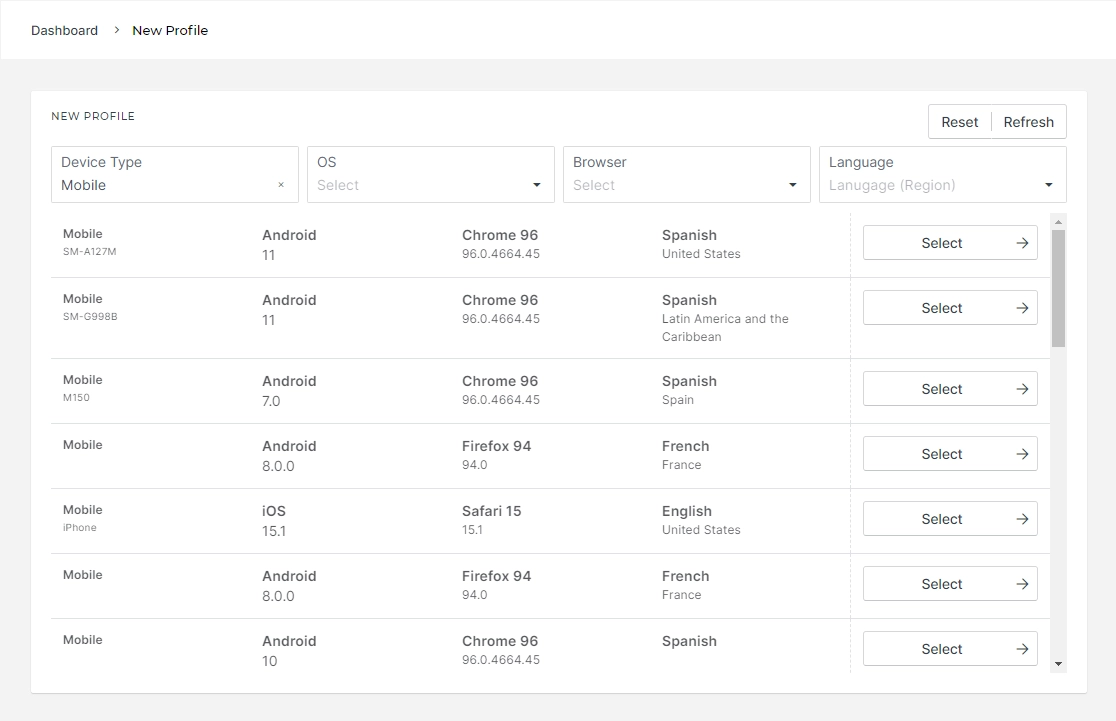
Best for: Users who want mobile and desktop profile management options.
Kameleo provides an advanced platform choice for brands whose core customer base uses mobile applications like TikTok Shop or Instagram Storefronts. While many multi-accounting tools specialize strictly in desktop emulation, Kameleo supports Android and iOS browser profile testing with real touch-event tracking, allowing ad teams to accurately audit and manage mobile-first ad layouts.
Pros
- Seamless mobile fingerprint spoofing alongside desktop profile setups.
Cons
- Requires external tools or mobile apps for full proxy and multi-device connection syncing.
8. Undetectable Browser
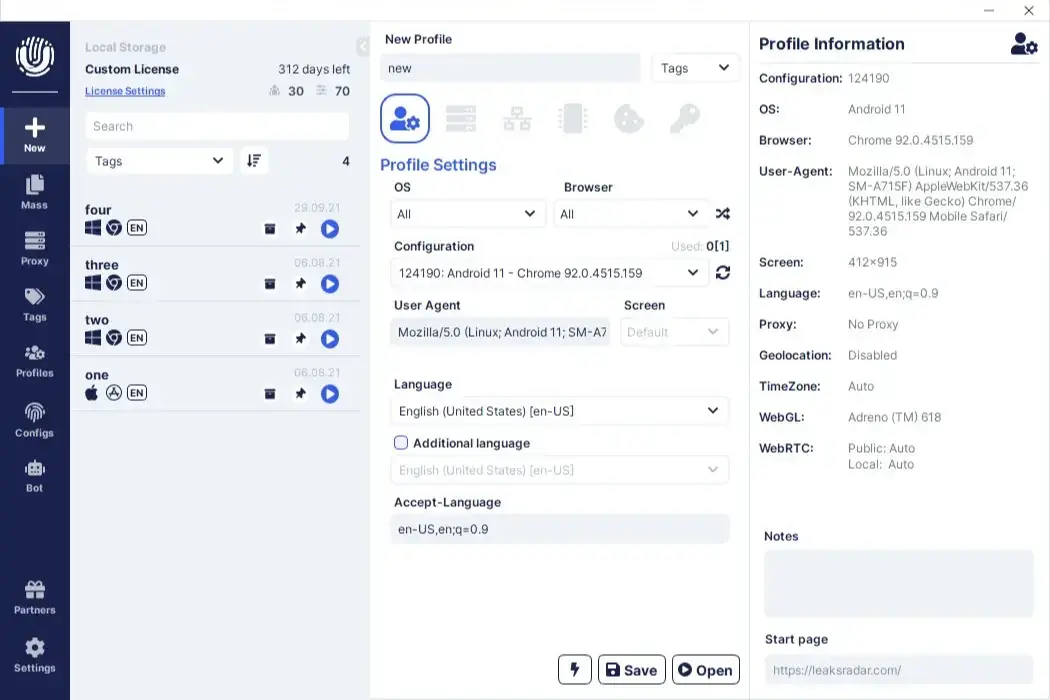
Best for: Flexible alternative for users exploring less mainstream tools.
Undetectable Browser offers a unique architecture by allowing users to choose how their secure profiles are handled. Marketing teams can store cookies and session profiles directly on local hard drives instead of relying entirely on cloud storage. This is an excellent configuration for smaller, data-conscious agencies that want absolute custody of their login files.
Pros
- Flexible choice between cloud configurations and private local storage options.
Cons
- Fewer community resources, tutorials, and third-party integrations compared to major brands.
9. MoreLogin
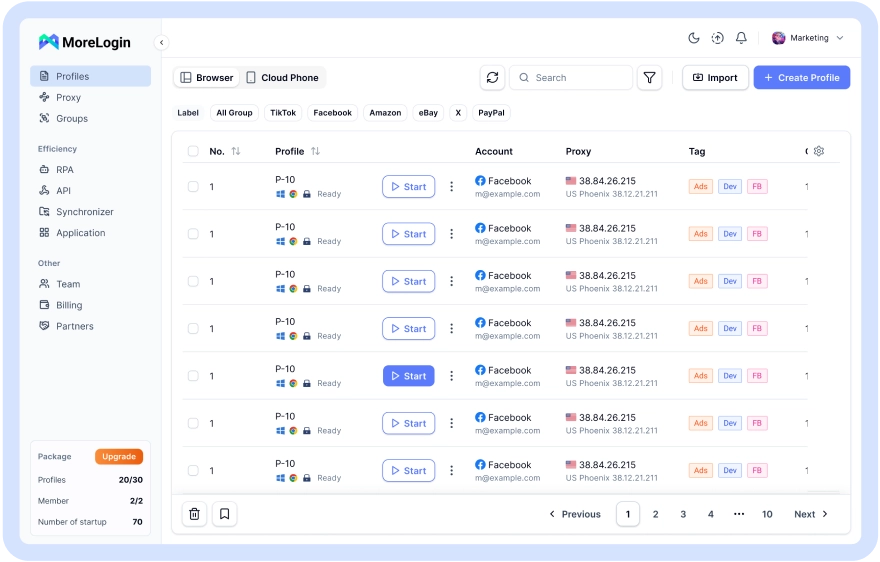
Best for: Affordable alternative for budget-conscious teams.
MoreLogin offers standard multi-accounting capabilities at a highly accessible price point. It uses robust canvas fingerprint generation algorithms to prevent data leaks across distinct online storefronts or ad platforms. For teams handling around 30 to 50 backup accounts or separate geographic regions on a limited budget, MoreLogin offers a cost-effective path forward.
Pros
- Highly affordable plans for small teams looking to segment profile infrastructure.
Cons
- Lacks some of the more advanced automation scripts and automated API tools found elsewhere.
10. NSTBrowser
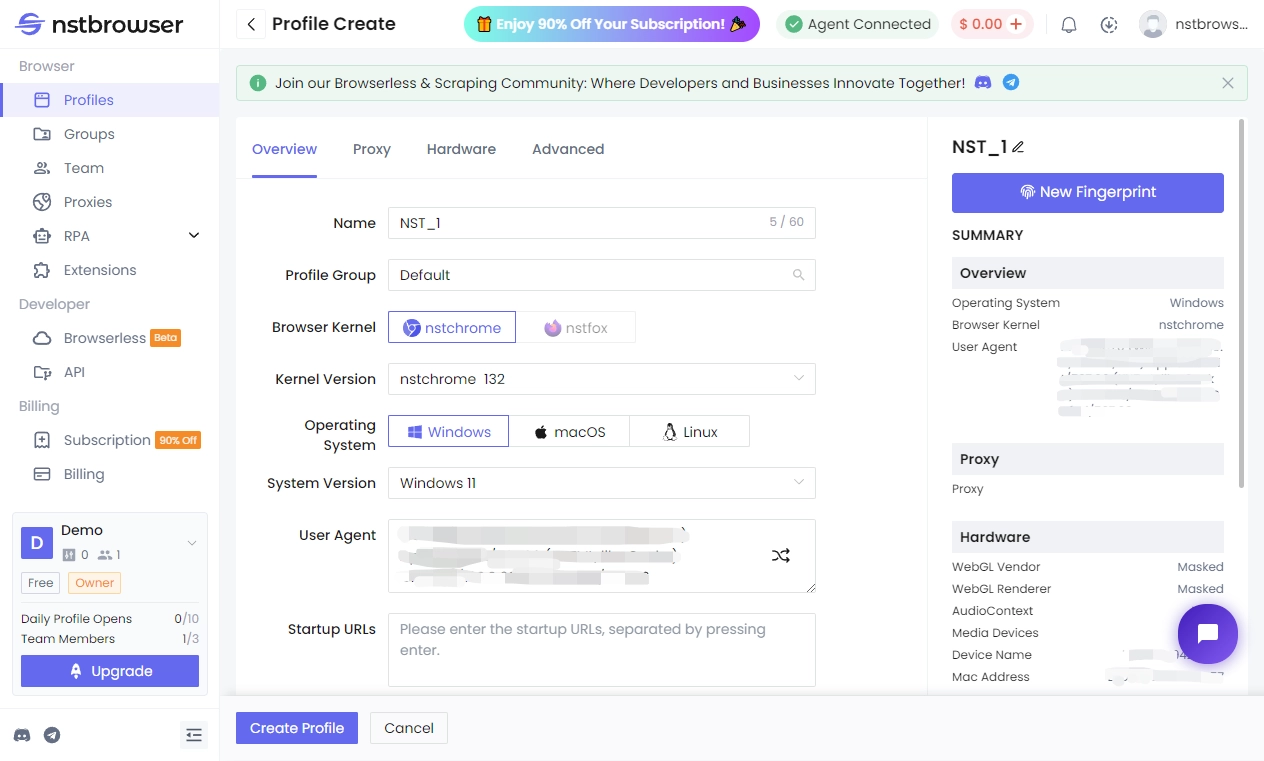
Best for: Niche option for automation, QA, scraping, and developer-oriented tasks.
NSTBrowser is a specialized, modern solution built directly with developers, testers, and web scrapers in mind. Completely integrated with headless browser libraries like Puppeteer and Playwright, it allows automated scripts to navigate websites and collect data across hundreds of secure environments concurrently, while managing multiple development environments.
Pros
- Exceptional framework support for complex coding, headless browsing, and QA automation.
Cons
- Not suitable for general business operators who prefer an explicit graphical interface for manual operations.
FAQ Section
What is the best anti-detect browser for managing ad accounts?
Incogniton is the ideal antidetect browser for organizing ad accounts because it enables advertising agencies, media buyers, affiliate marketers, and ecommerce professionals to organize their many ad accounts in different browser profiles.
Is Incogniton useful for agency ad account management?
Absolutely. The browser is ideal for agencies that need to manage many ad accounts for different clients. It allows you to separate all your accounts, cookies, sessions, proxies, and other browser environments.
Why do media buyers use browser profile management tools?
Media buyers often work with multiple campaigns, clients, ad platforms, or brands. Browser profile management tools help them keep those workflows separated, organized, and easier to manage.
What is the best Multilogin alternative?
Incogniton is one of the best Multilogin alternatives for users who want a practical and accessible browser profile management tool for ad account organization.
What is the best GoLogin alternative?
Incogniton is a good GoLogin alternative for users who want browser profile management, team features, and a clean workflow for multiple ad accounts or client profiles.
Are antidetect browsers legal?
Antidetect browsers are legal tools when they are used for good reasons, such as protecting privacy, testing software, separating accounts, conducting e-commerce, managing agencies, and performing research. They shouldn’t be used for committing any fraud, sending spam, or breaching the terms of platforms.
Whom can browser profile managers help?
Browser profile managers can be used by agencies, marketers, e-commerce specialists, QA testers, researchers, and any businesses that need to have different browser environments under control.
Conclusion
Selecting the appropriate infrastructure to run your business profiles is critical for scaling campaigns without fear of cross-contamination. Utilizing a balanced tool like Incogniton helps ensure your ad accounts, distinct regional stores, and client data remain secure, completely organized, and insulated against sudden platform disruptions. Consistent isolation is the cleanest way to build a reliable online operation.