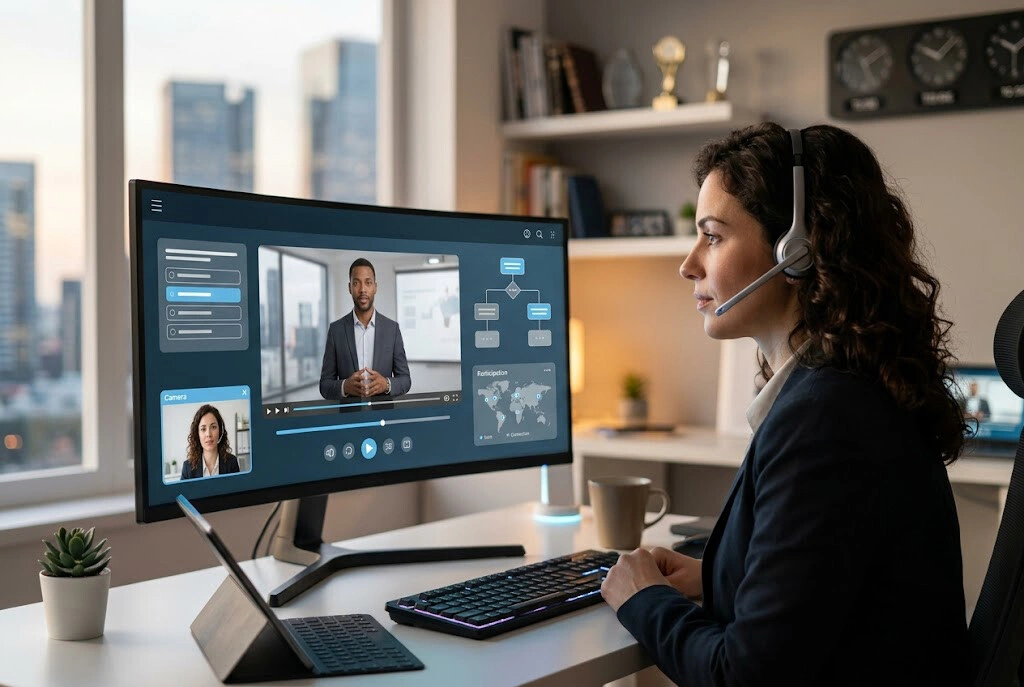

Ask any sales enablement manager what keeps them up at night and you’ll get a familiar answer: ramp time. Gartner’s 2025 Sales Enablement Survey put the average B2B SaaS rep ramp at 6.2 months, and Salesforce’s State of Sales 2025 report found that 64% of sales leaders say their reps are underprepared on product knowledge within 90 days of a major release. When your reps work from twelve different time zones and your product ships updates every two weeks, the old playbook of flying everyone to Austin for a week-long kickoff doesn’t hold up. Neither does the assumption that a recorded Zoom call from last quarter is still accurate.
The cost of slow ramp is bigger than most CFOs realize. Forrester’s 2025 B2B Sales Benchmark pegged the average fully-loaded cost of a SaaS AE at around 240,000 dollars per year. Every extra month of ramp burns roughly 20,000 dollars in salary before that rep closes a single deal, and that’s before you factor in the opportunity cost of pipeline they didn’t generate. LinkedIn Sales Solutions reported in early 2026 that companies who shortened ramp by even 30 days saw a 14% lift in first-year quota attainment. Multiply that across a 200-person sales org and the math becomes loud.
Traditional LMS video was built for a world where training content changed once a quarter. That world is gone. Product marketing ships a new pricing tier, the competitive battlecard shifts, an acquisition lands, and suddenly half your library is stale. Re-recording a polished talking-head video means booking studio time, scheduling your VP, editing, and captioning. You’re not producing a cinematic AI Drama series, yet the bottleneck of basic corporate video production remains a massive barrier. AI video tools collapse that loop from weeks to hours, and that’s why enablement leaders are quietly rebuilding their training stacks around them. Topview AI and similar platforms now let a single enablement specialist produce what used to take a production team.
Why AI Video Is Replacing Traditional Sales Training in 2026
- Ramp time reduction: HubSpot’s 2025 enablement report showed teams using AI-generated video modules cut new-hire ramp by an average of 38 days compared to slide-deck-only onboarding.
- Better knowledge retention: A Salesloft research note from late 2025 found scenario-based AI video training improved 30-day product knowledge retention by 47% versus passive video watching, mostly because reps practice instead of just listening.
- Content refresh velocity: What took two weeks in a studio now takes 90 minutes in an AI platform. Product marketing can push updated objection-handling videos the same day pricing changes.
- Multilingual coverage for global teams: AI avatars deliver the same module in 30+ languages without re-shooting. For a sales org with reps in São Paulo, Berlin, and Singapore, that’s the difference between consistent messaging and a translation backlog.
- Cost per training hour: Gartner estimated the all-in cost of professionally produced training video at roughly 1,200 to 3,000 dollars per finished minute. AI tools drop that to under 50 dollars per minute, often less at volume.
- Always-on personalization: Modules can be tailored to segments — SMB AE versus enterprise AE versus SDR — without producing three separate productions.
What You Need Before You Start
Before you open any tool, gather the raw material. AI is fast, but it can’t fabricate your sales motion.
- Your sales playbook and existing training docs: ICP definitions, qualification frameworks (MEDDIC, BANT, whatever you run), discovery question banks, and current objection-handling guides.
- Product demo recordings: Two or three of your best AE demos, ideally with the cameras off so the focus is the product walkthrough.
- Scripts and talking points: Pricing scripts, competitive battlecards, ROI calculators, and any approved messaging from product marketing.
- Brand kit: Logo files, brand colors, font choices, and any tone-of-voice guidelines. AI avatars look generic without this.
- LMS or learning platform details: Whether you run on Lessonly, Mindtickle, WorkRamp, Highspot, or a homegrown SharePoint setup, know your SCORM/xAPI requirements and embed options.
- A shortlist of subject matter experts: Your top three AEs, your sales engineer lead, and at least one customer-facing PM who can review scripts for accuracy.
Step-by-Step: Building Your AI Video Sales Training Library
1. Audit your current training content
Pull every video, deck, and document your reps are supposed to consume in their first 90 days. Tag each item by category (product, process, skills, competitive) and last-updated date. You’ll typically find 40–60% is stale or duplicative. Kill what’s outdated before you rebuild — there’s no point recreating bad content faster.
2. Identify high-priority modules
Don’t try to AI-everything at once. Start with the modules that change most often or hurt most when they’re wrong:
- Objection handling (top 10 objections with 60-90 second responses each)
- Product demo walkthroughs (one per major use case)
- Discovery call frameworks (with sample dialogue)
- Competitive positioning (one short video per top competitor)
- Pricing and packaging conversations
These five categories typically cover 70% of what new reps actually need in their first 60 days.
3. Choose and set up your AI video platform
This is where tool selection matters. For most B2B SaaS enablement teams, TopView AI hits the right balance of avatar quality, script-to-video speed, and integration options. Upload your playbook PDFs, demo recordings, and brand assets into a single workspace so every video pulls from the same source of truth. If you’re producing supporting visuals — animated explainers for static product diagrams, for example — HappyHorse 1.0 is worth knowing about. HappyHorse 1.0 is a text-to-video and image-to-video model that turns static slide content into motion, which is useful when you want a feature diagram to actually animate instead of sitting as a dead screenshot in the corner of a training module.
4. Generate your AI avatar trainer
Pick an avatar that matches your brand voice — energetic for SMB-focused orgs, more measured for enterprise sales. Most teams settle on two or three recurring avatars so reps recognize the “trainer” across modules. Write scripts in 60-90 second blocks. AI video is forgiving on production but ruthless on pacing — long monologues lose people fast. For modules that need richer visual storytelling, like a customer journey reenactment or a “day in the life” of a target persona, generative video models like Seedance 2.0 can produce short scene cuts that break up the talking-head pattern.
5. Add interactive elements and quizzes
This is where most enablement teams underinvest. A 5-minute video with no checkpoints teaches almost nothing past day three. Build in:
- A multiple-choice question every 90 seconds
- A scenario branch (“the prospect says X — what do you do?”)
- A required free-text response (reps have to write the objection response in their own words before they can move on)
- A recorded role-play upload at the end of each module, scored by AI for filler words, pace, and adherence to the messaging framework
6. Localize for global teams
If you sell internationally, generate every module in your top five languages from day one. AI translation has gotten dramatically better in 2025 — Salesforce’s internal benchmark put error rates for sales-specific terminology at under 4% across the major European and East Asian languages. For supporting visuals like infographics and pitch deck imagery, OpenAI’s image generation model accessible through integrated platforms handles localized text rendering well, which matters when your training graphics need to read correctly in German or Japanese.
7. Distribute and measure
Push modules into your LMS via SCORM 2004 or xAPI. For just-in-time reinforcement, embed short clips in Slack (a 45-second “how to handle the budget objection” pinned in the #ae-help channel) and in Salesforce as opportunity-stage nudges. Track completion, quiz scores, role-play scores, and — most importantly — correlate training data to ramp milestones and first deal close rates. If you can’t tie training to revenue, you can’t defend the budget.
Comparison Table: Top AI Tools for Sales Training Video
| Tool | Best For | Key Features | Pricing | Limitations |
| TopView AI | Full-stack sales enablement teams who want avatars, generative scenes, and fast iteration in one workspace | Script-to-video generation, custom AI avatars, multilingual output (40+ languages), integrated scene generation, LMS-friendly exports, batch production for module libraries | Starts around USD 29/month; team plans roughly USD 99-299/month depending on minutes and seats | Heavy customization on enterprise avatars may need a paid upgrade |
| Synthesia | Polished enterprise corporate training | 230+ stock avatars, custom avatars (paid tier), strong compliance posture | Starts around USD 22/month, enterprise quoted | Stock avatars feel generic; per-minute caps on lower tiers |
| HeyGen | Quick avatar videos and voice cloning | Instant avatar from selfie video, voice cloning, decent multilingual | Around USD 24/month entry, scales with minutes | Less depth on interactive learning features |
| Colossyan | Workplace learning with scenario branching | Built-in scenario builder, conversation simulations, SCORM export | Starts around USD 27/month, business tiers from USD 87/month | Smaller avatar library than competitors |
| Vyond | Animated explainer-style training | Character animation, strong template library, brand-kit support | Starts around USD 49/month | Not avatar-based; animation style doesn’t fit every brand |
| Articulate Storyline | Traditional course authoring with media embeds | Industry-standard SCORM authoring, deep interactivity | Around USD 1,499/year per author | Steep learning curve; no native AI video generation |
Common Mistakes to Avoid
- The one-and-done video: Recording (or generating) a module and never touching it again. Set a 90-day review cycle. If product or pricing changed, the video changed.
- No scenario practice: Watching a video about objection handling is not the same as practicing it. Reps need to talk, not just listen. Build in AI-scored role-play.
- Ignoring mobile: Salesloft’s 2025 rep behavior study found 41% of training consumption now happens on phones, often between meetings. If your videos don’t render cleanly at 9:16 with captions, you’re losing nearly half your audience.
- No analytics tied to outcomes: Completion rates are vanity metrics. Tie module engagement to ramp milestones, first-deal time, and quota attainment. Otherwise you can’t tell what’s working.
- Monolingual content for a global team: If you have reps outside North America, English-only training is a tax on your international AEs and a quiet drag on global quota attainment.
Real Results: What Sales Orgs Are Seeing
The numbers from teams who rebuilt their training stack on AI video in 2025 are striking. HubSpot’s enablement team, in a Q4 2025 case study, reported new-hire AE ramp dropping from 90 to 52 days after they replaced their static onboarding library with AI-generated modules that refresh every release cycle. They credited 60% of the improvement to faster product knowledge ramp (videos updated within 48 hours of any GA release) and the rest to scenario-based practice modules that reps could repeat as many times as they wanted without burning a manager’s calendar.
A mid-market cybersecurity vendor reported similar gains in a Forrester 2026 enablement spotlight. After rebuilding their objection-handling library in TopView AI and pushing 60-second reinforcement clips into Slack on a weekly cadence, their AEs’ win rate on competitive deals climbed from 31% to 44% over two quarters. The enablement lead noted that the real unlock wasn’t the videos themselves — it was that reps could request a new objection-handling clip on Monday and have it live by Wednesday. Speed of response changed how the field used training.
Sales orgs at the high end of adoption are also reporting fewer “training fatigue” complaints. LinkedIn Sales Solutions’ 2026 enablement survey found that reps consuming AI-generated modules in 3-5 minute formats reported 22% higher satisfaction with training than reps still working through 30-minute legacy videos. Short, frequent, current — that’s the pattern that works.
FAQ
How much does it cost to set up an AI video sales training library? For a 50-person sales team, expect 1,200 to 6,000 dollars per year in software, plus internal time. Most teams produce 30-50 modules in the first 90 days. Compare that to one professionally produced training video that historically ran 5,000-15,000 dollars and went stale in a quarter.
Can AI video handle scenario-based or role-play training? Yes, and this is where the biggest gains come from. Most modern platforms support branching scenarios and AI-scored role-play uploads. Reps practice handling a tough discovery call against an AI prospect, get scored on framework adherence, and iterate before they ever talk to a real buyer.
Does it integrate with my LMS? Almost all serious AI video tools export SCORM 1.2, SCORM 2004, or xAPI, which covers every major LMS — Mindtickle, Lessonly, WorkRamp, Highspot, Docebo, and homegrown systems. For Slack and Salesforce, look for native embed support or at minimum clean public links.
How well does multilingual training actually work? Better than most leaders expect. Salesforce reported under 4% error rates for sales-specific terminology in major languages in late 2025. For high-stakes content (pricing scripts, legal claims), have a native-speaker AE review before publishing. Everything else can ship and iterate.
Will AI replace human sales trainers? No, and that’s the wrong question. AI handles repetition, knowledge transfer, and scenario practice at scale. Human trainers move up the value chain: deal coaching, manager development, complex skill work, and culture-setting. The teams getting this right use AI to free their best trainers from rote work, not to eliminate them.
Final Thoughts
The teams that win on enablement in 2026 won’t be the ones with the prettiest training videos. They’ll be the ones whose training is current, practiced, measured, and tied to revenue. AI video is what makes that possible at the speed modern sales orgs actually need. A 90-day rebuild of your top 30 modules will likely pay for itself before the next quarter closes.
Start small. Pick five modules, pick one tool, ship the first version this month, and measure ramp impact for one cohort. The teams that experimented in 2024 are already on their third generation of AI-built training. The good news is the tooling has gotten dramatically better, so you’re not starting from behind — you’re starting from a much better baseline. Build the library your reps will actually use, keep it fresh, and let the numbers speak.